Drag & Drop
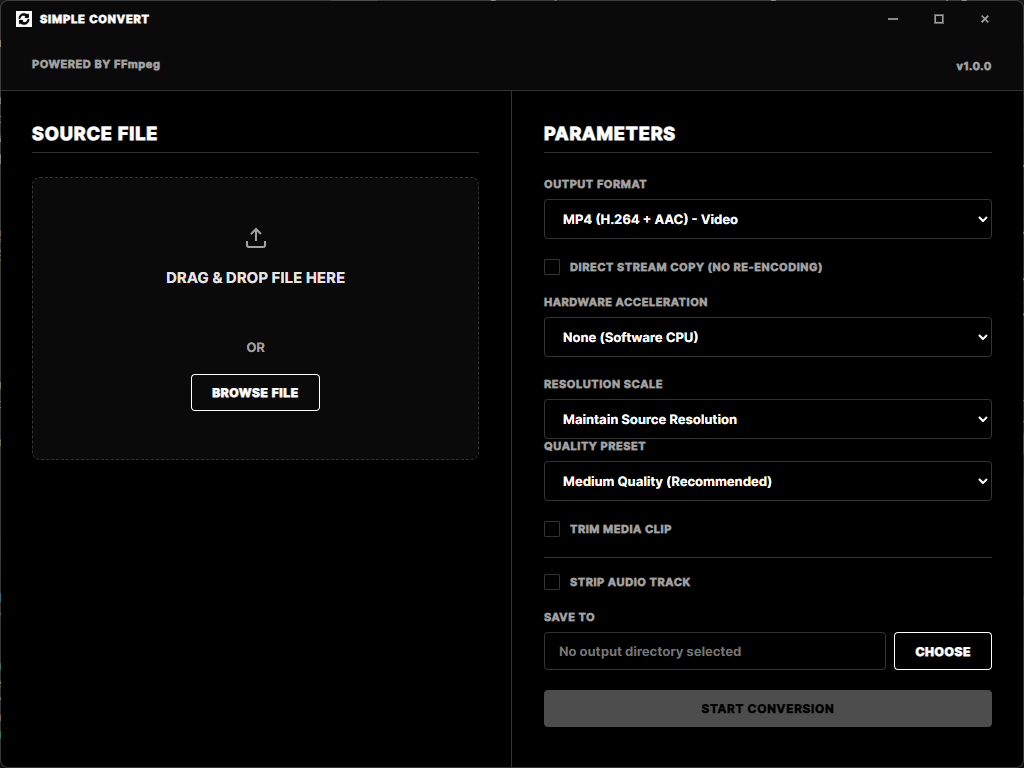
Drop any video file onto the app and get instant file metadata — codec, resolution, frame rate, duration — before you convert a single frame.
GPU Acceleration
Auto-detects your GPU at startup and selects the fastest available encoder — NVIDIA NVENC, Intel QSV, or AMD AMF — falling back to software only when needed.
Multiple Formats
Convert to MP4, MKV, WebM, MP3, or WAV. Choose output resolution, quality preset, or enable direct stream copy to remux without re-encoding.
Trim & Clip
Cut your video to a precise time range before converting. Set start and end times to extract exactly the segment you need.
Audio Extraction
Strip the audio track entirely or extract audio only — perfect for pulling sound from video files or creating silent renders.
Live FFmpeg Logs
A built-in terminal panel streams real-time FFmpeg diagnostics — frame count, FPS, bitrate, and speed — so you always know what's happening.
 Simple Convert